
Meet Nexi: The AI Assistant Helping You Manage More Deals in Less Time

The Nexi beta opens November 13, and anyone on a paid Nekst account can be the first to put it to work inside their transactions.
Nexi is the AI assistant built into Nekst, and its job is to save you time and clicks. Instead of opening a transaction, finding the right task and clicking through screen after screen to move a date or update a detail, you tell Nexi what you need in plain words and it handles it. It already answers questions and writes emails, and starting November 13, paid Nekst accounts can test a lot more, from creating and updating tasks to changing the transaction itself.
Think of Nexi like a new hire on your team. You wouldn't hand a new employee the keys on day one, and we aren't doing that with Nexi either. Before Nexi creates, changes or deletes anything, it shows you exactly what it plans to do and waits for your OK. As Nexi earns your trust, we may give it more room to handle routine work on its own, the same way you would with a new team member who has proven themselves. Here's what it does now and what beta testers get.
What Nexi does now
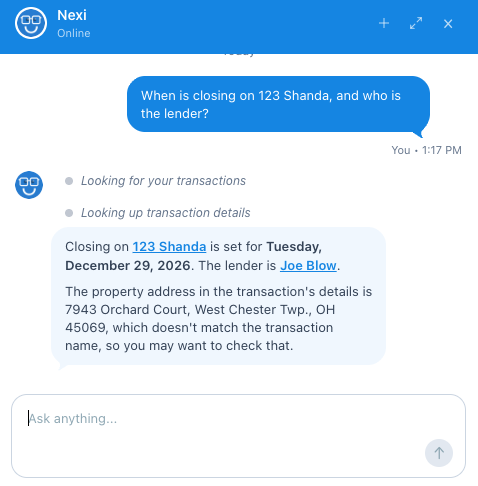
Nexi replaces Nekst AI, and you'll find it behind the icon in the bottom right corner of Nekst. Today it reads and writes: it answers questions and drafts emails, but it doesn't change anything in your transactions yet.
- Ask about a transaction. e.g. "When is the inspection deadline?" or "Who is the lender on 123 Main?" Nexi reads the transaction's details page, notes and documents, and can pull up a document for you.
- Ask across all your transactions. e.g. "How many deals close this month?" or "What's the total volume of my pending deals?" Nexi summarizes and does the math across your whole pipeline.
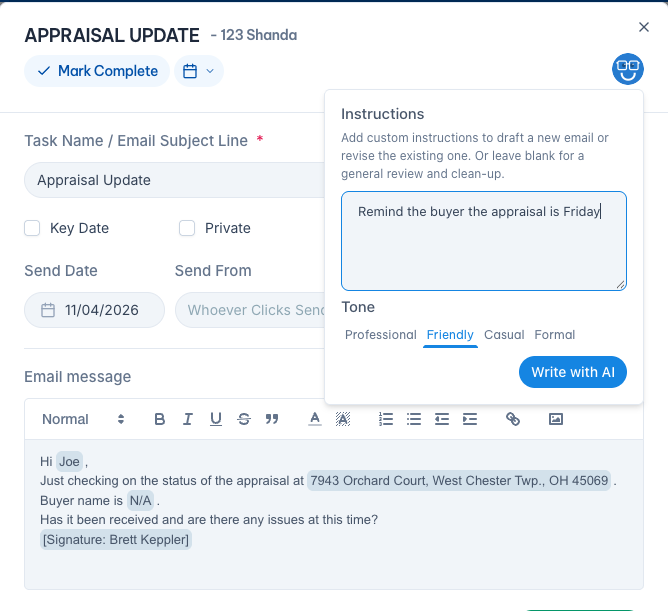
- Write or clean up an email. e.g. On an email task, click the Nexi button, type "Remind the buyer the appraisal is Friday," pick a tone, and click Write with AI. It works on email tasks in your workflows and in your live transactions.
What Nexi will do for our beta testers
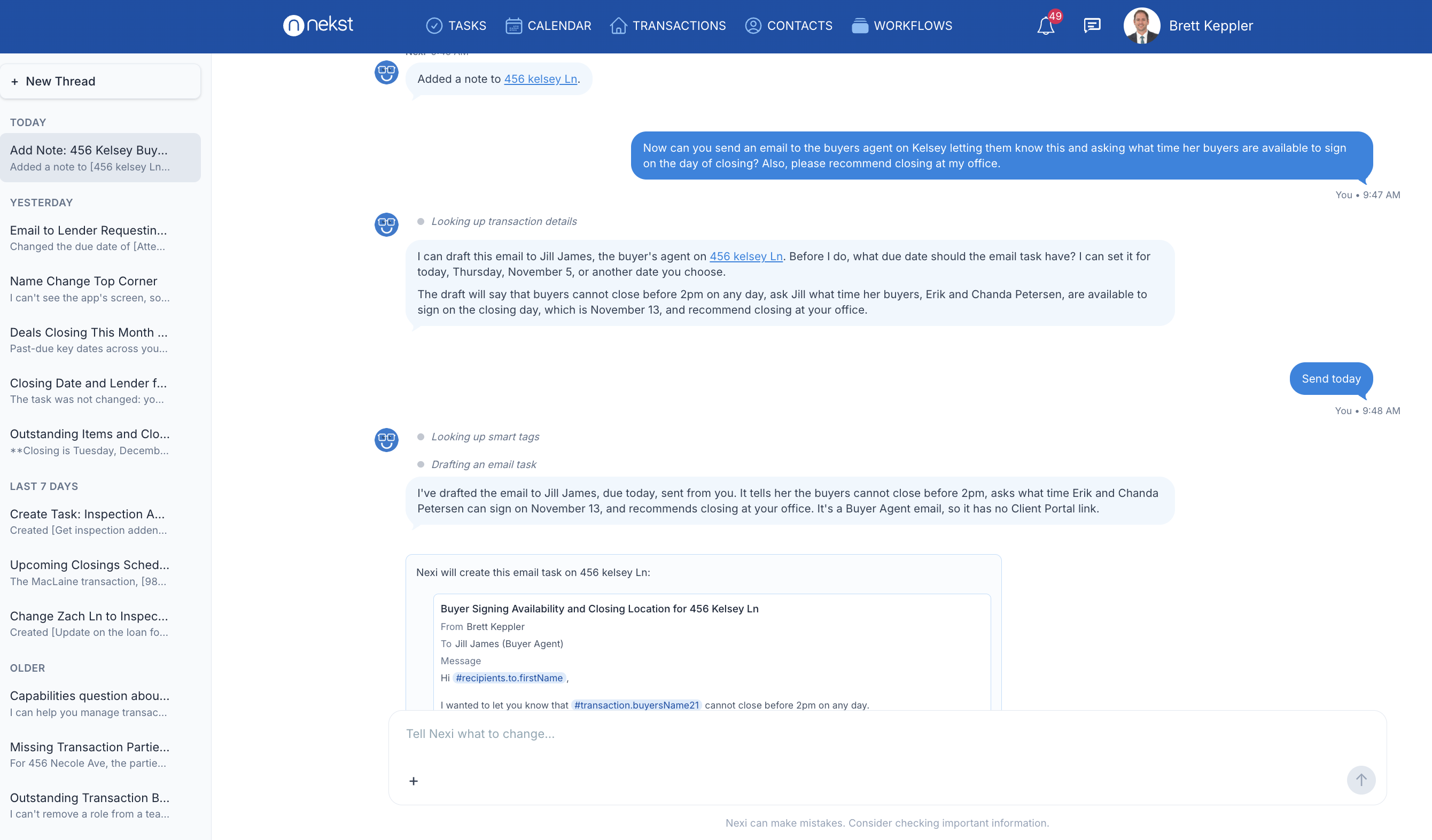
In the beta, Nexi goes from answering to doing. Tell it what you need in plain words and it makes the change inside Nekst, and it joins your Communication Hub conversations too.
Work inside your conversations
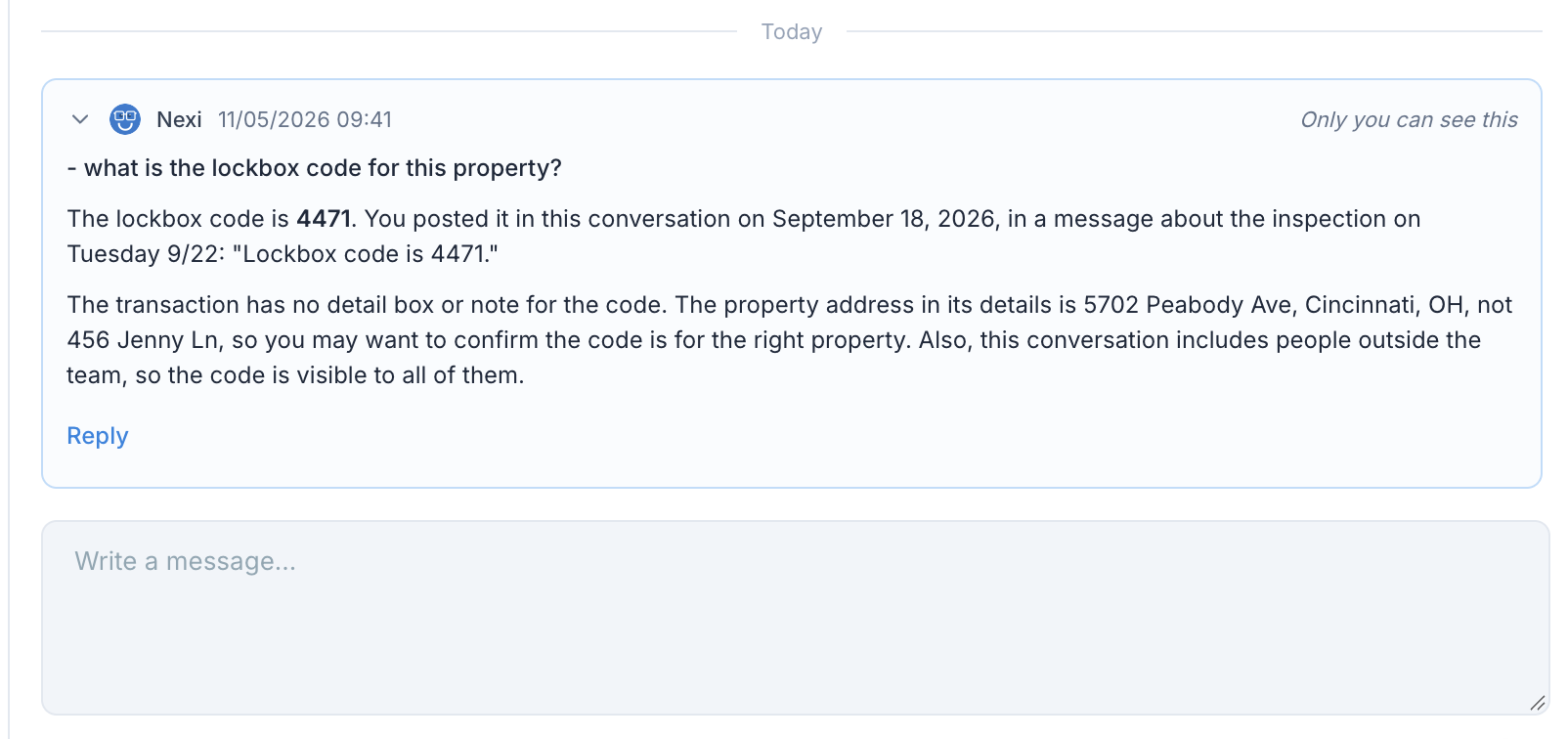
Nexi joins your Communication Hub threads to explain, summarize and draft replies, privately for you.
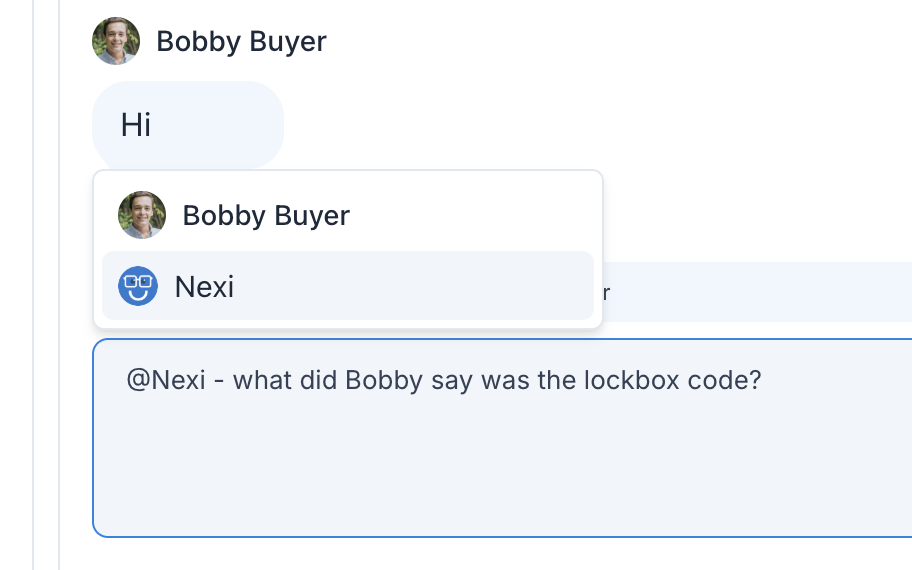
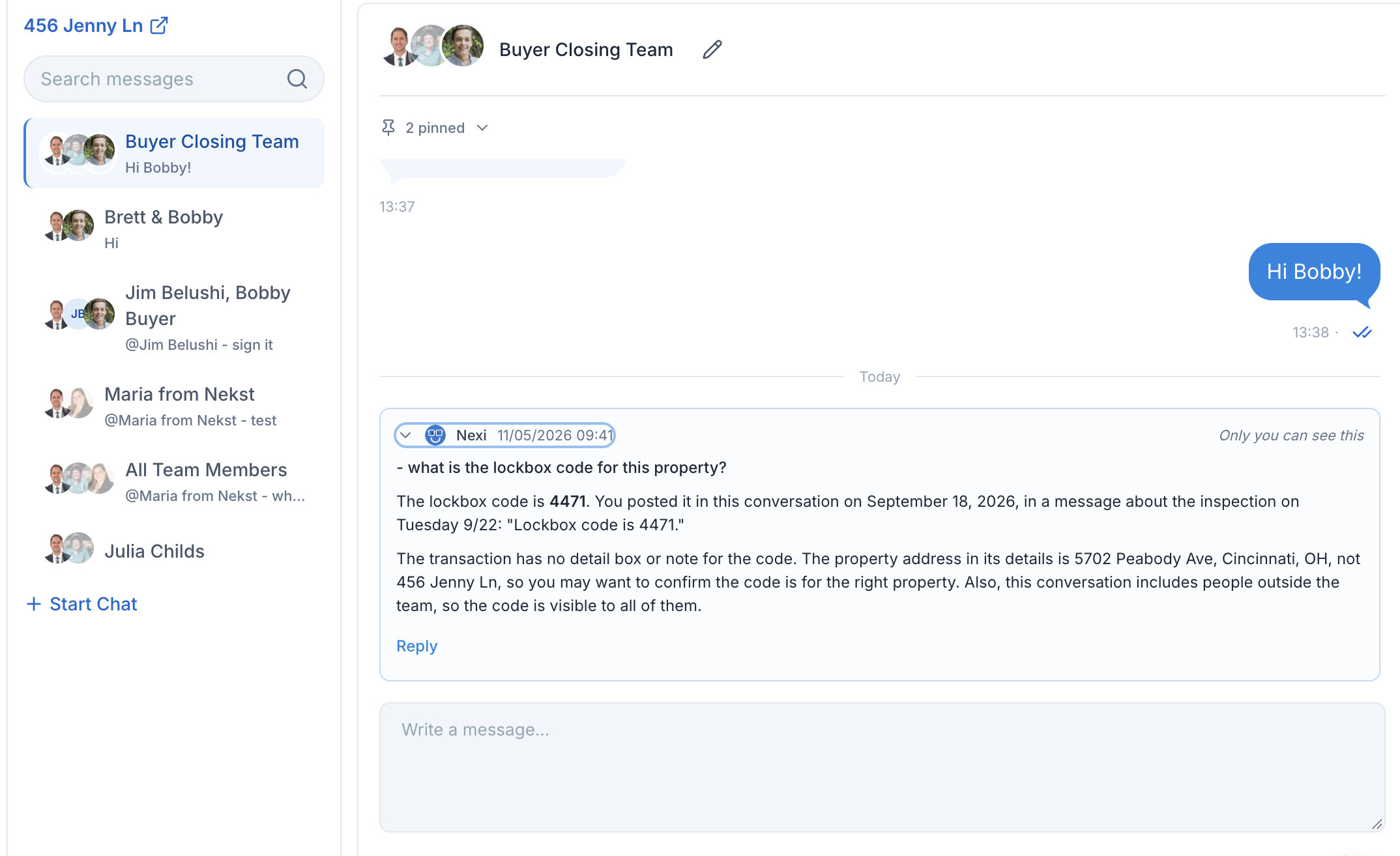
- Ask @Nexi in any conversation. e.g. "@Nexi, what is the listing agent asking for here?" Only you see the answer, and Nexi never shows up as a participant.
- Get a suggested reply. e.g. "@Nexi, suggest a reply." You copy it, edit it, or send it yourself.
- Write messages with smart tags. e.g. "Draft an email to the buyer that the inspection moved to Friday." The client name, address and dates come in as smart tags, so you can see where each detail comes from.
Create and update tasks
Create any type of task, move dates, edit emails, and assign, complete or flag tasks, just by asking.
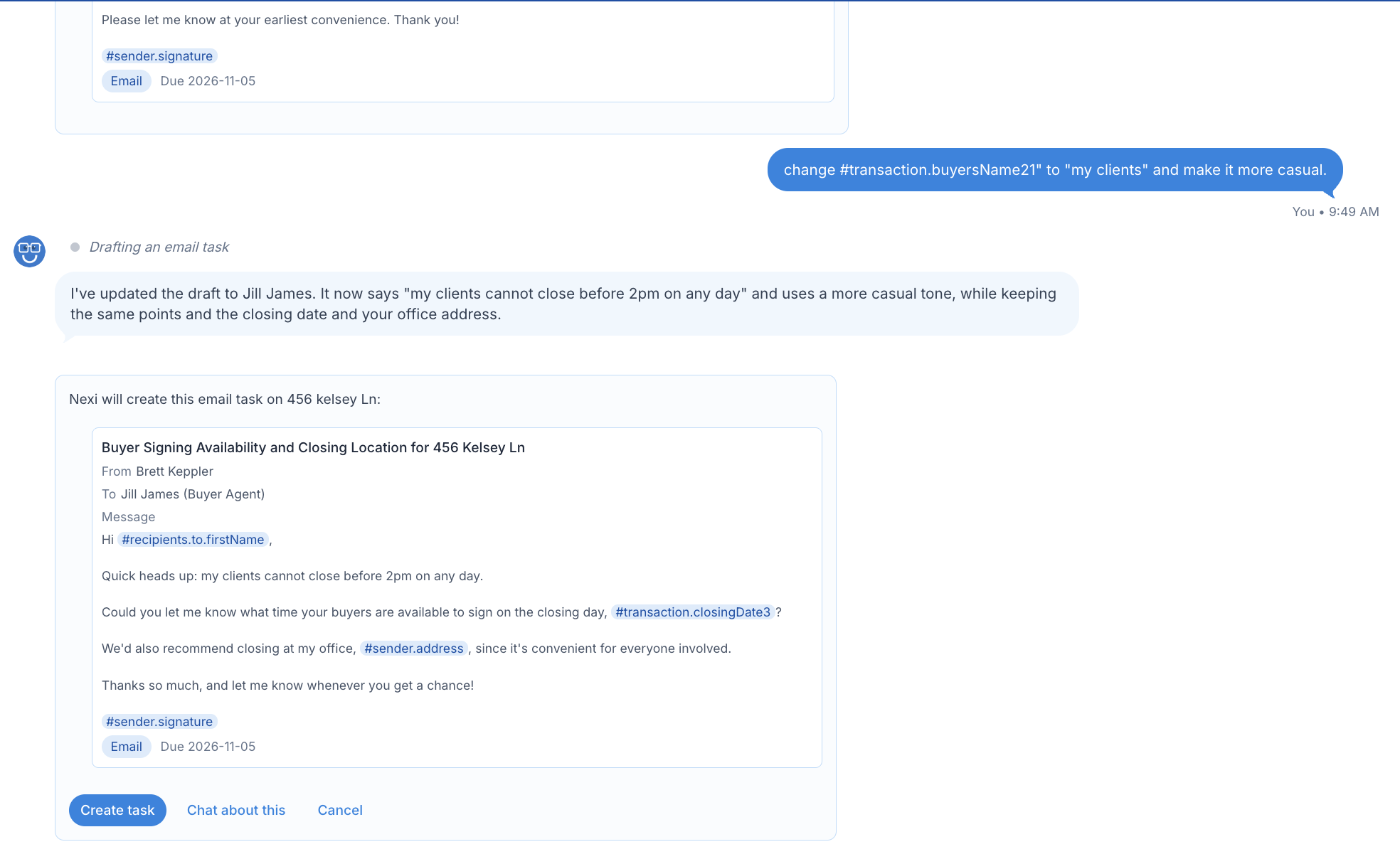
- Create any kind of task. e.g. "Create a text to the seller about the walkthrough" or "Add an appointment for the final walkthrough Thursday at 4." Standard, email, SMS and appointment tasks all work. Nexi drafts emails and texts but never sends them.
- Move due dates. e.g. "Move the inspection task to Friday." The tasks that depend on it move too, and Nexi tells you which ones.
- Edit an email task. e.g. "Send that email to the co-buyer instead and change the subject to Inspection rescheduled." Nexi can change who it goes to, who it's from, the subject and the message.
- Complete, reopen or delete. e.g. "Mark the HOA docs task done." Before deleting, Nexi warns you it can't be undone.
- Assign, flag and comment. e.g. "Assign the title follow-up to Jordan, flag it, and comment: waiting on HOA documents."
Keep the transaction up to date
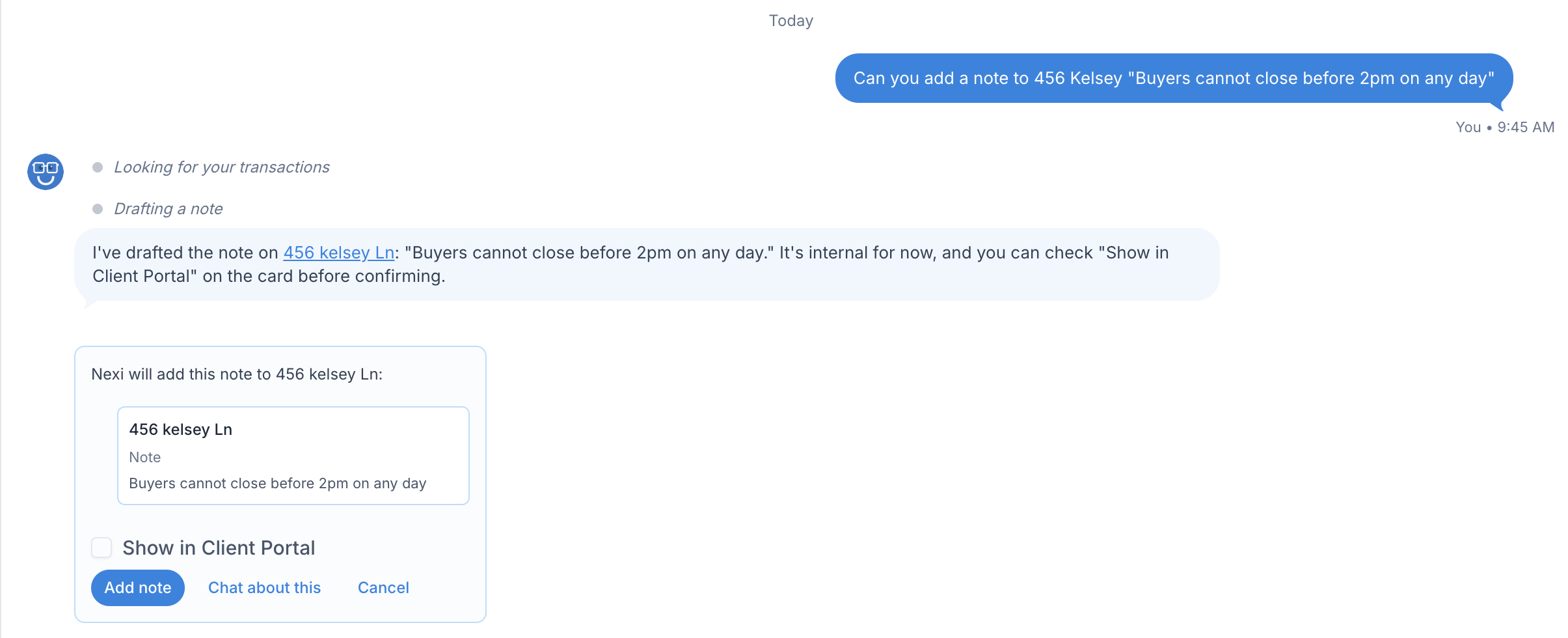
Change the status, dates, details, notes and people on a transaction without clicking through it.
- Change status, stage or name. e.g. "Move this to Under Contract" or "Rename this to 123 Main St - Smith."
- Change start and end dates. e.g. "Move the end date to December 12." Nexi asks whether to shift the related tasks too.
- Update detail boxes. e.g. "Change the sale price to $450,000."
- Add notes. e.g. "Add a note: seller wants to close early." Nexi asks whether the client should see it in the Client Portal.
- Manage the people. e.g. "Add Maria Lopez, maria@lender.com, as the lender" or "Make Jordan the transaction coordinator." Nexi can also update a contact's details, like a phone number.
Stay on top of your team
A quick read on who has what and which key dates have slipped.
- See a team member's workload. e.g. "What does Jordan have outstanding across all transactions?"
- Catch past-due key dates. e.g. "Which key dates are past due across my transactions?"
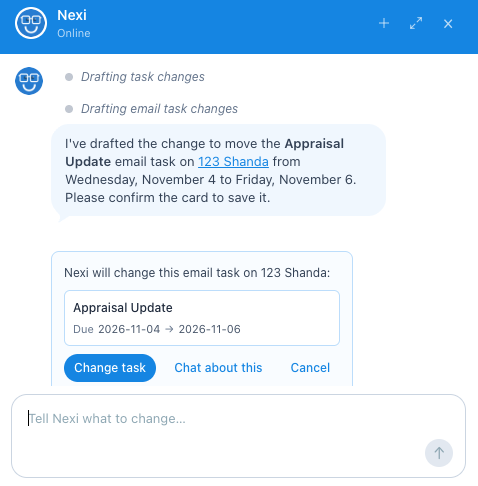
You approve every change
Before Nexi creates, changes or deletes anything, it shows you a card with exactly what it's about to do, and nothing happens until you confirm. You can edit the card first. Nexi also only sees what you already have access to.
Join the Nexi beta
The beta starts Friday, November 13, 2026, and it's open to everyone with a seat on a paid Nekst account. Testers get early access, no charge during the beta, extra AI usage, and a real say in what we build next. To sign up, you need to be on Solo Pro, or an Account Owner or Administrator on a Team Pro account. Once you sign up, Nexi turns on for everyone on your account.