
Transaction Coordinator Software: AI Contract Verification That Cuts Review Time by 3x
If you have ever printed out a 15-page executed contract just so you could find a single closing date faster than scrolling the PDF, this one is for you.
For agents, transaction coordinators, and broker admins, contract verification is the unglamorous part of every new transaction. The AI does the heavy lifting. You still have to confirm every value, page by page, before you trust it.
That is the bottleneck Rocket Launch was built to remove. Here is what we improved within Nekst, to make launching your next transaction, Rocket fast!
The Sparkle Summary: One-Click Verification
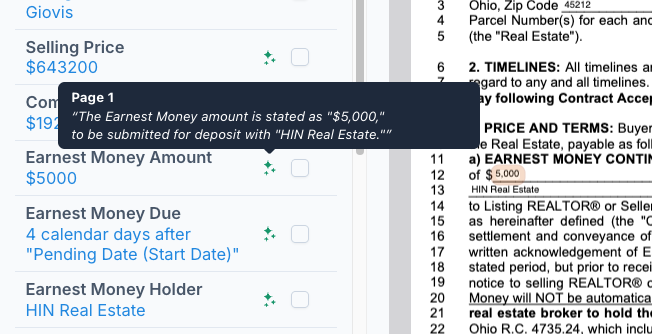
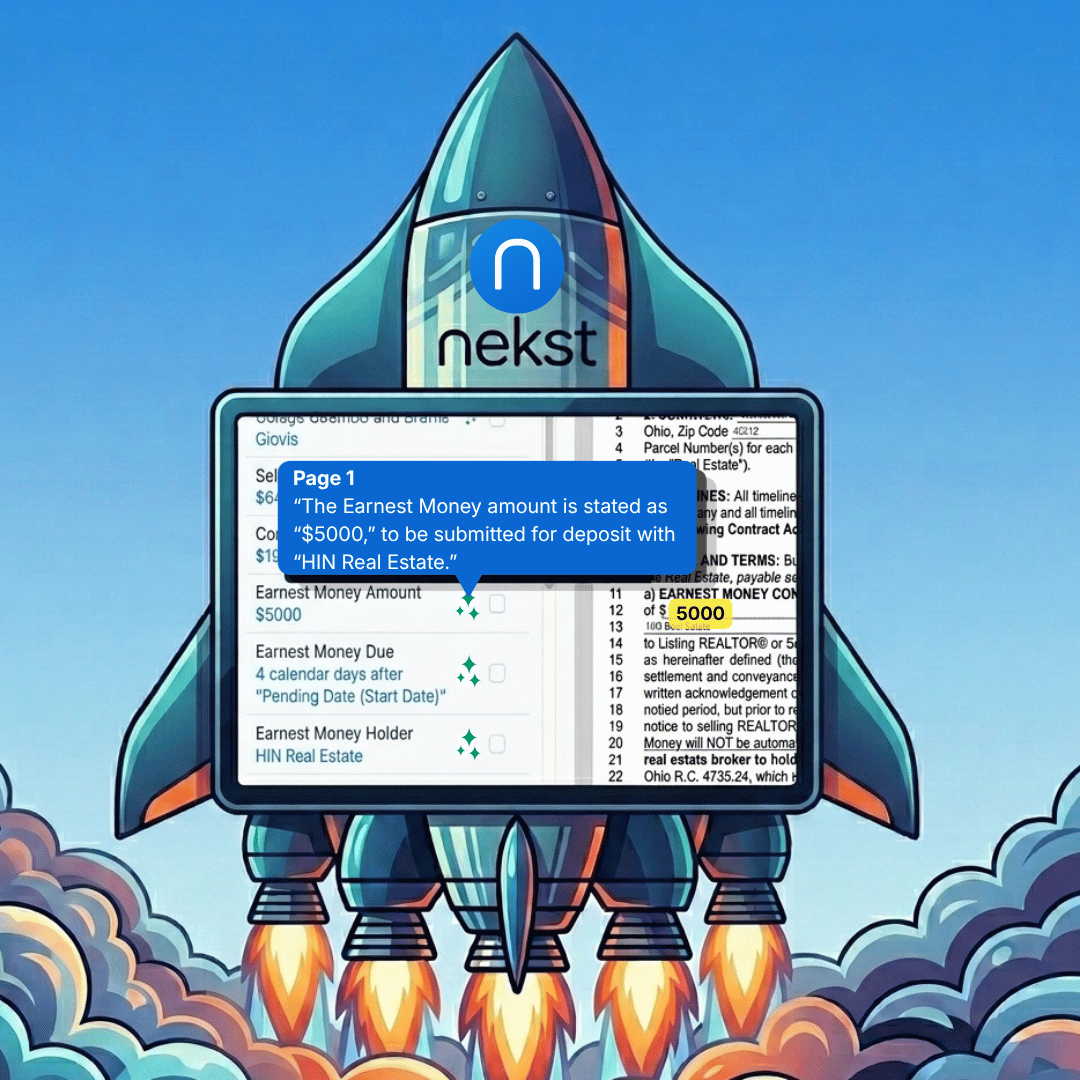
After your contract is processed, every extracted value gets a green Sparkle icon next to it on the verification screen.
Hover the Sparkle and you get the Sparkle Summary: the exact excerpt from the contract that was used to determine that value. No guessing about where it came from.
Click the Sparkle, and the PDF jumps straight to the page that excerpt lives on, with the relevant section highlighted. No scrolling, no scanning, no browser search.
Here is a concrete example. You upload a Florida AS-IS contract that has been e-signed through dotloop. The original purchase price was $175,000 but it was amended to $176,500 with a handwritten initial. Nekst pulls $176,500 into your Detail Box.
You can confirm that in two clicks. Hover to see the amended language. Click to land on the page where the buyer and seller initialed the change.
Verifying that one value used to take 30 seconds of flipping through pages. Now it takes about 2 seconds. Multiply that across 10 or 15 critical values per contract and you save real time on every new transaction.
Use Your Wait Time: Parallel Setup
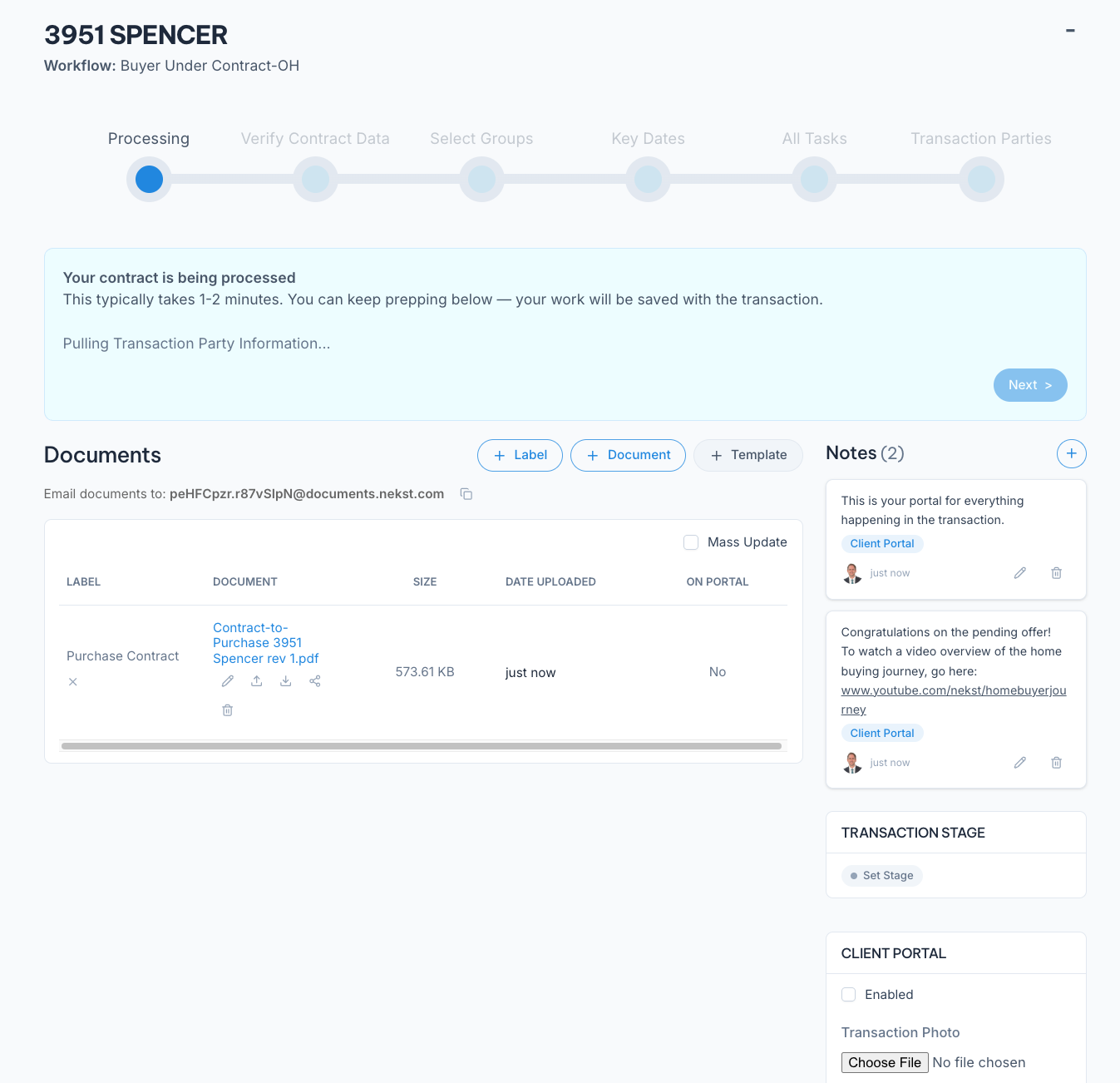
Before Rocket Launch, uploading a contract was a "stop everything and wait" moment. The screen stayed locked while Nekst pulled values out of your PDF. Sixty to ninety seconds of dead time, every transaction.
That dead time is gone.
The moment you upload, Nekst kicks off processing in the background and the screen unlocks. While you wait, you can knock out the other setup steps you previously could not do until after the transaction was launched, such as:
- Upload your supporting documents (addenda, amendments, disclosures)
- Add notes to the transaction
- Upload a property image, a title and activate the Client Portal
- Assign a Transaction Stage
By the time you look up, the contract is processed and ready to verify. The handful of minutes you used to lose per new transaction now goes toward actual work.
For Transaction Coordinators running 20 or 30 deals at a time, that compounds fast.
Why This Matters for Your Business
Every minute spent verifying contract data is a minute you are not selling, prospecting, or serving your clients. For a busy agent, that adds up to hours per month. For a Transaction Coordinator handling 20 or 30 deals at a time, it adds up to days.
Rocket Launch attacks that cost from two sides. Parallel setup eliminates the wait. The Sparkle Summary turns 10-minute manual review into 30-second confirmation.
Beyond speed, there is the accuracy story. E-signed contracts (dotloop, DocuSign) used to be where automated contract reading broke down. Filled-in values were rasterized on top of the blank form, and the old text-only processing returned the underscores. Rocket Launch reads what is actually on the page, which means amended purchase prices, deposits, and inspection periods come through correctly the first time.
If you are evaluating Transaction Coordinator software on accuracy and audit clarity, this is a real change. You now have a system where every extracted value is traceable to the exact line in the source contract, on demand. That is the kind of compliance trail that protects a broker, makes your closing process defensible, and lets you scale without losing the thread on details.
Every Real Estate Transaction Management Software promises automation. Rocket Launch from Nekst is one of the few that lets you verify it.
How to Try Rocket Launch
Rocket Launch is live for all Nekst accounts today. There is nothing to enable, no toggle, no upgrade.
Open a transaction, upload your contract, and the new flow takes over.
If you want the step-by-step before you try it on a live deal, the full walkthrough is in our help docs: Creating a Transaction from a Contract.
Saving you time is the entire point of Nekst. Every release we ship aims to give you back minutes that used to disappear into busywork. Rocket Launch gives a lot of them back at once.
Launch your next transaction at Rocket speed.